- A focused first version usually takes roughly 3 to 5 months from kickoff to launch; these are experience-based estimates that vary with scope, not statistics.
- The weeks mostly go to decisions, content and approvals rather than typing code, so a smaller v1, answers within 48 hours, one owner on your side and an early design system shorten the schedule the most.
- Be wary of "a full app in two weeks", a single date with no phases, or testing only at the end. Ask for milestones you can see and sign off instead.
The honest answer to “how long?” is a range, and the range depends far more on scope and on how fast you answer questions than on how fast anyone types. For a focused first version (one platform family, a handful of core flows, an admin panel, one or two integrations), a realistic overall window is roughly 3 to 5 months from kickoff to the app being live. A very small app can be quicker. A marketplace with several user types, payments and live availability usually needs more.
Every number in this post is an estimate from experience, not a statistic. Treat it as a planning aid, and ask any team you talk to for their own ranges and what each one assumes.
The phases, with typical weeks
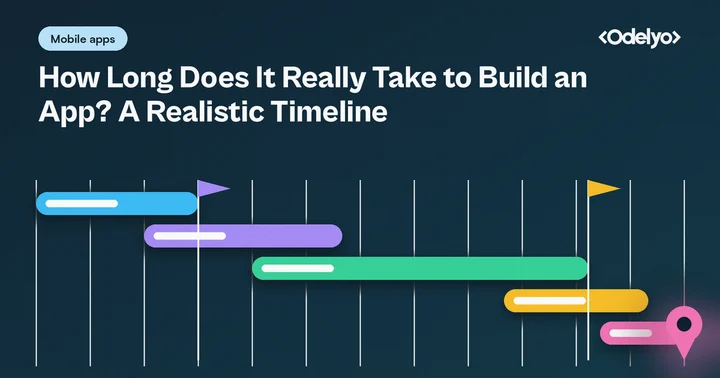
Typical for a focused v1; it varies with scope. Phases overlap, so the weeks do not simply add up.
| Phase | Typical weeks | What happens |
|---|---|---|
| Discovery and scope | 1–2 | Goals, users, the list of what is in and out of v1, risks, who decides what |
| UX and UI design | 2–4 | Flows, wireframes, visual design, a small design system, a clickable prototype you can test on real people |
| Development in sprints | 6–12 | Two-week cycles, each ending with something you can install and tap |
| Backend and admin panel | 3–6, mostly parallel | Database, APIs, accounts, roles, the screens your team uses to run the business |
| QA and fixes | 2–3 | Testing on real devices, bug fixing, performance, a round of acceptance by your team |
| Store submission and review | 1–2 | Listing, screenshots, privacy answers, review time, one possible resubmission |
| Launch and first fixes | 2–4 | Staged release, monitoring, the first batch of real-world corrections |
Backend and admin work starts once the first screens are agreed and runs beside the app. QA is not only at the end: each sprint is tested as it lands, and the final QA weeks are for the whole thing together.
What stretches a timeline
- Scope creep. “One more small feature” is rarely small once it touches the database, the admin and the tests. Write new ideas in a v1.1 list and look at it after launch.
- Late content. Product photos, texts, legal pages, translations and category lists are the classic blocker. An app with placeholder content cannot be honestly tested or reviewed.
- Slow feedback. If every review round takes a week, a ten-sprint project quietly becomes a twenty-week one.
- Third-party integrations. Payment providers, maps, SMS and ID checks have their own onboarding, sandbox access and approval steps, none of which your developers control. Ask for the accounts on day one.
- Unclear payment or legal requirements. Refund rules, tax treatment, terms, a privacy policy and age or data rules are easier to settle before design than after the checkout is built.
- Store rejections. They are common and usually fixable: a missing privacy answer, a login the reviewer cannot test, a broken link. Plan for one resubmission. The quote checklist is a good place to see whether a proposal even mentions it.
What can run in parallel
This is where a good plan saves real time:
- Backend foundations while design is being finished, once the data the screens need is clear.
- Admin panel beside the customer app, so your team can load products or users before launch.
- Content, legal text, store listing, screenshots and payment-provider onboarding on your side, while the developers build.
- Staff training and a soft launch with a small group before the public release.
What cannot be parallel: development without agreed designs, or testing without content. Skipping those only moves the delay to later and makes it more expensive.
How to shorten it without cutting quality
- Make v1 smaller. The single most effective lever. Cut features, not testing. The on-demand app v1 post shows how that looks in practice.
- Decide within 48 hours. Agree on a response time for questions and approvals. Most blocked days are unanswered questions.
- Name one owner on your side. One person with the authority to say yes, instead of a committee that needs a meeting.
- Build a design system early. Reusable buttons, forms, spacing and states mean new screens take hours rather than days, and the app stays consistent.
- Prepare content and accounts before sprint one. Developer accounts for the stores, payment sandbox, domain, and a first batch of real content.
- Pick the team model deliberately. A freelancer, an agency and an in-house team have different speed and risk; see how to choose.
Red flags in a timeline
Be careful with promises like these:
- “A full app in two weeks.” Possible for a clickable prototype or a tiny tool. Not for an app with accounts, payments, an admin and store approval.
- “We do not need a design phase.” Design is where the expensive questions get answered cheaply.
- “Testing is included at the end.” Testing only at the end means bugs are found when they cost the most.
- A single date with no phases, no milestones and no assumptions behind it.
- Nothing about store review, content or third-party approvals.
A fast timeline is not a red flag by itself. A fast timeline with no explanation of what was left out is.
Free toolApp Scope PlannerList your features and see which belong in version one, and which can wait.Open the tool →A milestone-based plan you can ask for
Instead of one big deadline, ask for dates tied to things you can see and sign off:
- Milestone 1: signed scope and a v1 list, with what is out clearly written down.
- Milestone 2: approved clickable prototype and design system.
- Milestone 3: first installable build with the main flow working end to end, even if it is plain.
- Milestone 4: feature-complete build plus a working admin panel, on real content.
- Milestone 5: tested release candidate, store listing ready and submitted.
- Milestone 6: live, with a short list of agreed fixes for the first weeks.
If a milestone slips, you will know at the first or second one, while there is still room to cut scope, rather than in the last week. The same logic applies after launch, which is covered in what happens after the app goes live.
If you have a rough idea and want to see what a realistic schedule looks like for it, send us the outline and we will tell you which phases we would run in parallel and where the risks are.
Related reading
See a related case study: Divercity Rental. A golf cart rental marketplace with bookings, availability, and an operator side. The same three-sided shape every on-demand app has.
Service page: Flutter app development.
Not sure which phases your app really needs?
Send us a short outline of the idea, the users and the one thing it must do. We will reply with a phase plan, the assumptions behind each range, and what we would leave for version two. Send a brief · WhatsApp us. You get a first reply within one business day.