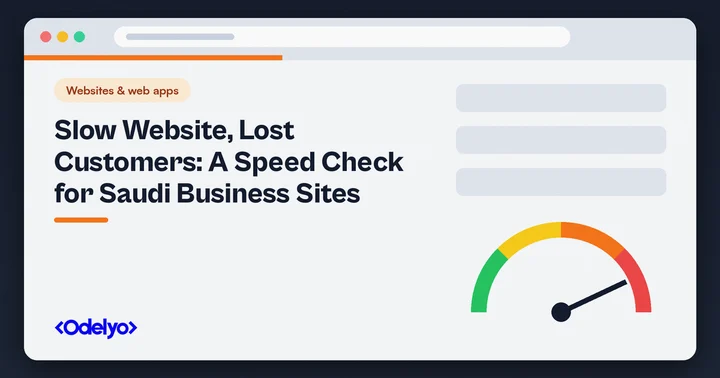
- Test your key pages in PageSpeed Insights on the Mobile tab. Good Core Web Vitals: LCP 2.5 s or less, INP 200 ms or less, CLS 0.1 or less.
- The usual causes are heavy images or video, too many plugins, unsubsetted Arabic fonts, chat and tracking widgets, distant hosting without a CDN, and no caching.
- Fix first when the causes are easy to reach; consider a rebuild only when the platform itself is the weight. Then check on a real mid-range phone over mobile data.
A slow site rarely announces itself. There is no error message, only visitors who leave before the page finishes, and a contact form that stays quiet. The owner opens the site on office Wi-Fi from a laptop, sees it load fine, and moves on.
Your customers do not browse like that. In Saudi Arabia most visits come from phones, often on mobile data, often inside an in-app browser from Instagram, X, Snapchat or WhatsApp. Speed is part of how your business looks to them. For a sense of scale, a 2020 study by Deloitte for Google, covering 37 European and American brands and over 30 million sessions, linked a 0.1 second faster mobile site to higher retail conversion (web.dev case study). It is not Saudi data and not a promise for your site, but the direction is consistent with what you see in your own analytics.
1. Run Google’s test, and pick the right tab
Open PageSpeed Insights, paste your homepage and your most important landing page, and switch to Mobile. Desktop scores are flattering and mostly irrelevant for you. Test the pages that bring money, not only the homepage.
2. Read the three Core Web Vitals in plain words
LCP (Largest Contentful Paint): how long until the biggest thing on screen, usually the hero image or the main heading, is actually visible. Good is 2.5 seconds or less.
INP (Interaction to Next Paint): after a tap on a menu, a button or a form field, how long before the page reacts. Good is 200 milliseconds or less. It replaced the older FID metric in March 2024.
CLS (Cumulative Layout Shift): how much the page jumps around while loading, the classic case being the button that moves just as you tap it. Good is 0.1 or less.
Google judges each one at the 75th percentile of real visits, so a site passes only when three out of four visitors get a good experience (thresholds on web.dev).
3. Check which kind of data you are looking at
At the top, PageSpeed Insights may show field data from real Chrome users over the past 28 days. That is the one that counts. Below it is lab data, a simulated run on a mid-range phone with a slower connection, useful for finding causes. Small sites often have no field data at all; then lab results and your own phone are what you have.
4. Look for the usual culprits
- A huge hero image or background video. Photos straight from a camera or a designer, several megabytes each. The top cause on company sites.
- A page builder plus too many plugins. Each plugin adds scripts and styles to every page, even pages that never use it.
- Arabic fonts loaded in full. A font family with six weights and no subsetting can weigh more than the rest of the page together. Two weights are usually enough.
- Widgets and trackers. Live chat, three analytics tags, a pixel for every ad platform, a map embedded on the homepage. Each one runs on the visitor’s phone.
- Cheap hosting far from the Gulf. If every request travels across the world and there is no CDN with nearby servers, even a light page starts slowly.
- No caching. The server rebuilds the same page for every visitor instead of serving a saved copy.
5. Test on a real phone, on mobile data
Turn Wi-Fi off. Open the site on a mid-range Android phone, not the newest iPhone on your desk, and tap through the way a customer would: homepage, a service page, the contact form. Notice where you wait, where text jumps, and whether the first screen is readable without scrolling. Ask a colleague in another city to do the same. Five minutes here tells you more than the score does.
Want a second opinion on the results? Send us the report link and we will tell you what matters and what is noise. You can also run a first check with our free page speed test.
Free toolPage Speed Test (Core Web Vitals)Paste a page address and see its mobile speed score, Core Web Vitals and the top fixes.Open the tool →6. Quick wins or rebuild?
A fix is enough when the causes are on the list above and easy to reach: compress and resize images, remove plugins nobody uses, cut the font weights, delay the chat widget until the visitor scrolls, switch on caching, put a CDN in front. Many sites improve a lot within days.
Think rebuild when the page builder itself is the weight, when every fix breaks something else, when the theme is abandoned, or when you want to change the site every month and each change is painful. A rebuild costs more, so make it a decision backed by measurements, not by frustration.
7. What to ask your developer or agency
- Which Core Web Vitals fail today, on which pages, and what is the cause of each?
- What is the target for LCP, INP and CLS on mobile, and by when?
- Where is the site hosted, and is there a CDN with presence in the region?
- Which scripts and plugins can be removed, and who decided they were needed?
- How will you re-test after the changes, and will I get the before and after reports?
Vague answers such as “we will optimise it” are a warning sign. Good answers name pages, files and numbers.
Related reading
See a related case study: Helios Solar. A company website where the whole point is a quote request. A good example of a page that has to load fast and get out of the visitor’s way.
Service page: Web development.
Not sure if your site is slow or just feels that way?
Send us the address. We will run it on a mid-range phone, tell you what is actually holding it back, and say honestly whether a fix or a rebuild makes sense. Send a brief · WhatsApp us. You get a first reply within one business day.