- A website shows information and brings visitors; a web app lets signed-in users do work.
- Most businesses end up needing both: public pages for search, and a login area for customers or staff.
- Answer five written questions before you brief a developer, and the quote becomes realistic.
Many projects start with the words “I need a website” and turn out to need much more, or much less. Choosing the wrong one costs time: either you build a brochure when customers need to log in, or you build a full application when a few good pages would do.
The short version
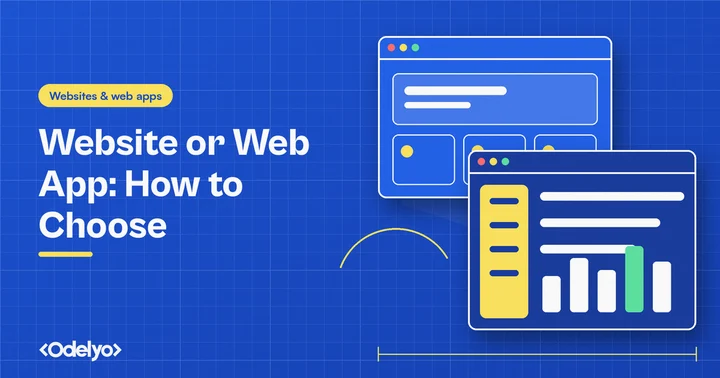
A website is mostly content. Visitors read, look, and contact you. A web app is mostly action. Users sign in, enter data, and the system does something with it: calculates, stores, approves, notifies. The line is not about technology; it is about whether the system holds user-specific data and rules.
Signs you need a website
- The main goal is to explain what you do and get enquiries.
- Content changes occasionally, and a simple editor is enough.
- Visitors do not need an account.
- You want to be found on search engines and look credible.
Examples: a company site, a portfolio, a clinic page with opening hours, a landing page for a campaign.
Signs you need a web app
- Users must log in and see their own data.
- Different people have different permissions: admin, staff, customer.
- You manage records: orders, bookings, students, inventory, invoices.
- You want automation: emails when a status changes, reports on a schedule.
- You are replacing a spreadsheet, WhatsApp threads, or paper forms that have become hard to track.
- You take payments or issue documents tied to a customer account.
Examples: a booking system, a customer portal, an admin dashboard, an internal tool, a marketplace.
| Website | Web app | |
|---|---|---|
| Main job | Inform and attract visitors | Let users get work done |
| Login | Usually none | Yes, with roles |
| Search engines | Built to rank | Private areas do not rank |
| Typical examples | Company site, landing page, blog | Booking system, portal, dashboard |
The hybrid: most businesses need both
A very common shape is a public website that ranks on search and sells the offer, plus a web app behind a login for customers or staff. They share a brand and sometimes a backend, but they have different needs. The website must be fast, readable, and easy to find. The app must be secure, correct, and easy to change as your process changes.
Questions to ask yourself
- Will anyone need to sign in? If no, start with a website.
- Do we store information about customers or orders that we must keep private? If yes, you need an app.
- Does a person on our team currently do the same manual task every day? That task may be a web app waiting to happen.
- Who maintains it? If non-technical staff update content, a clean editor matters. If staff run daily operations in it, an admin dashboard matters.
- Do we need a mobile app? Often a well-built responsive web app comes first, and a mobile app follows when users ask for it.
Practical examples
A gym. A website with classes and contact is enough at first. Once members want to book classes and pay online, that part becomes a web app.
A trading business. A public site builds trust, while a logged-in area handles customer accounts and price information. The same business may later add a mobile app for the same data.
A small retailer. A website shows products. Daily sales, stock, and staff accounts are an operations app, and should be built as one.
How this changes the quote
A website is priced mainly by the number and type of pages, design work, content, and languages. A web app is priced by workflows, roles, data, integrations, and the admin side. That is why we ask for a short brief and answer with a written scope and a fixed quote, rather than guessing from a one-line description.
Avoid the common mistakes
- Building an app when you need pages. Extra login and admin features cost money and slow the launch.
- Building pages when you need an app. If staff still copy data from the site into spreadsheets, the site is not doing its job.
- Skipping the admin side. Someone has to manage the data. Plan the dashboard together with the product.
- Locking yourself in. Make sure you receive the source code and your own hosting and domain accounts.
A quick decision rule
If your visitors only need to read, build a website. If your users need to do something that depends on who they are, build a web app. If both are true, build the website first or in parallel, and design the app around the one workflow that matters most.
A short checklist before you brief a developer
- Who are the three kinds of people who will use this, and what does each one want to do?
- What information must stay private, and from whom?
- Which parts need to appear on search engines, and which sit behind a login?
- Which tools do we use today that this should replace or connect to?
- Which languages do we need at launch?
Written answers to these five questions are enough for a useful first conversation and a realistic written scope.
Starting small, growing later
You do not have to choose forever. Many projects start as a website with a contact form, then add a customer area, then add an admin dashboard for staff. The only requirement is to plan the foundations: a clean structure, your own hosting and domain accounts, and source code you own, so each step builds on the last instead of replacing it.
Related reading
See a related case study: NAGM AL-DIN. A precious-metals business that needed a public website alongside a bilingual mobile app with live prices, built as one ecosystem.
Service page: web development.
Not sure whether you need pages, an app, or both?
Describe what your users should be able to do. Send a brief · WhatsApp us. You get a first reply within one business day.